



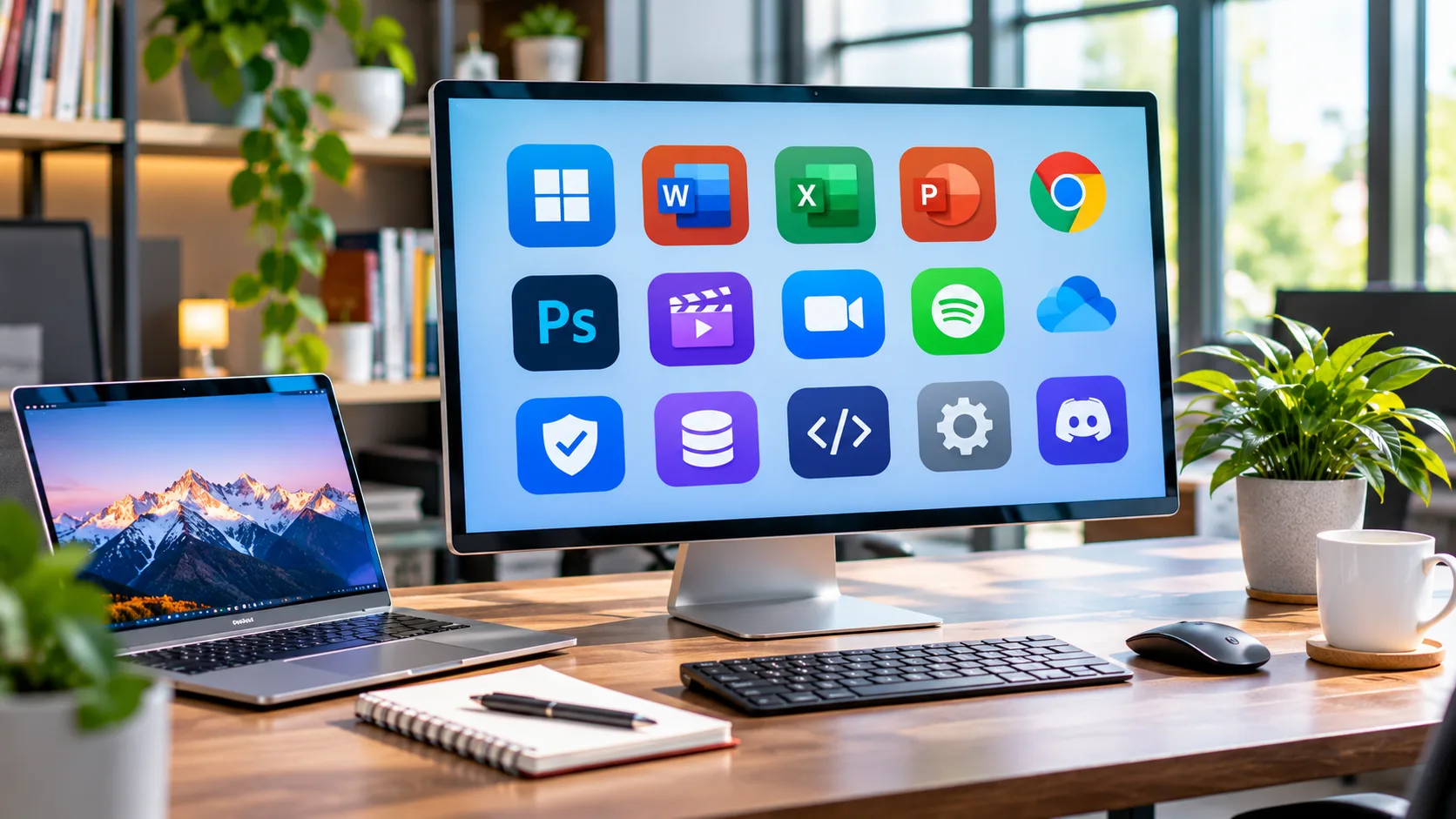
Understanding common software examples can help you overcome this confusion. From operating systems to web browsers, different software programs perform specific tasks that make digital devices useful.
The good news is that learning about software does not require advanced technical knowledge. This guide explains different types of software, their functions, and everyday examples. By the end, you will understand how software works and how to choose programs that meet your needs.
What Is Software in Simple Words?
Software is a collection of instructions, programs, and related data that tells a computer how to perform specific tasks. Unlike physical computer components, software cannot be physically touched. It operates within digital devices to help users complete different activities.
Think of a computer as a car and software as the instructions that guide its operation. The physical components provide the necessary equipment, while software directs how those components work. Both are necessary for ordinary computing activities.
For example, Microsoft Word helps you create documents, while Google Chrome allows you to browse websites. These programs perform different functions but belong to the same general category of software. Each provides a solution to a particular user requirement.
How Does Computer Software Work?
When you open an application, it may seem like your computer instantly understands what you want. However, several processes happen behind the scenes to complete your request. Software provides the instructions needed to coordinate these activities.
Software developers write instructions using programming languages. Depending on the language and environment, these instructions are translated or interpreted so the computer can execute them. The processor then performs the necessary operations to produce the expected results.
For example, when you enter numbers into a calculator application, the software processes your input. It performs the requested mathematical operation and displays the answer. This simple interaction demonstrates how software turns user instructions into meaningful results.
What Are the Main Types of Software?
Learning about software becomes confusing when you encounter hundreds of different programs. Fortunately, software can be grouped into several categories according to its purpose. Understanding these categories makes identifying individual programs much easier.
The four commonly discussed types of software include:
- System software: Manages computer hardware and essential operations.
- Application software: Helps users complete specific tasks.
- Utility software: Supports device maintenance, security, and management.
- Programming software: Helps developers create and test computer programs.
These categories sometimes overlap because certain programs perform multiple functions. Utility software, for example, is often considered a category of system software. However, examining these groups separately provides a useful starting point for beginners.
System Software Examples and Their Uses
Have you ever wondered how your computer starts before you open any applications? System software manages the essential operations that make your device functional. It provides the foundation upon which other computer programs depend.
Operating Systems
An operating system manages computer hardware, memory, files, and running applications. It provides an environment where users can interact with their devices. Windows, macOS, Ubuntu, Android, and iOS are familiar examples of operating systems.
Device Drivers
Connecting a printer or graphics card requires communication between hardware and software. Device drivers help operating systems interact with these physical components. Printer drivers, audio drivers, and graphics drivers are common examples.
Firmware
Firmware is specialized software stored within electronic devices to control basic hardware functions. It supports the operation of equipment such as routers, printers, and computer motherboards. Examples include UEFI firmware and software embedded within digital cameras.
Language Translators
Language translators help convert programming instructions into forms that computers or other software systems can process. Compilers, interpreters, and assemblers perform different translation or execution-related tasks. Examples include the GCC compiler and the Python interpreter.
Application Software Examples for Everyday Tasks
Most people interact with application software without realizing that it belongs to a particular category. These programs help users complete activities such as writing documents, browsing websites, and editing photographs. Their main purpose is to solve specific user problems.
Word Processing Software
Creating professional documents manually can be time-consuming and inconvenient. Word processing software provides tools for writing, formatting, editing, and organizing text. Microsoft Word, Google Docs, and LibreOffice Writer are common examples.
Spreadsheet Software
Managing large amounts of numerical information can become difficult without suitable tools. Spreadsheet applications help users organize data, perform calculations, and create charts. Microsoft Excel, Google Sheets, and LibreOffice Calc are widely recognized examples.
Presentation Software
Explaining complex ideas becomes easier when information is organized visually. Presentation software allows users to create slides containing text, images, charts, and other elements. Microsoft PowerPoint, Google Slides, and Apple Keynote are familiar examples.
Web Browsers
Accessing websites requires software that can retrieve and display online information. Web browsers help users navigate websites, use online services, and download resources. Google Chrome, Mozilla Firefox, Microsoft Edge, and Safari are examples.
Graphic Design Software
Creating visual content requires tools that support image editing, illustration, and design. Graphic design software allows users to develop artwork, marketing materials, and digital images. Adobe Photoshop, GIMP, Canva, and Inkscape are popular examples.
Communication Software
Working or studying with people in different locations can create communication challenges. Communication software supports activities such as messaging, video meetings, and information sharing. Zoom, Microsoft Teams, WhatsApp, and Slack are common examples.
Multimedia Software
Playing or editing audio and video files requires applications that support different media formats. Multimedia software provides tools for viewing, recording, or modifying digital content. VLC Media Player, Audacity, and DaVinci Resolve are examples.
Utility Software Examples for Computer Maintenance
A computer may become difficult to manage when unnecessary files accumulate or security problems develop. Utility software helps users maintain and protect their devices. These programs address specific maintenance tasks rather than general productivity activities.
Antivirus Software
Malicious software can compromise personal information and interfere with normal computer operations. Antivirus programs help identify, block, and remove certain security threats. Microsoft Defender Antivirus, Malwarebytes, and Bitdefender are familiar security software examples.
File Compression Software
Large files can consume considerable storage space and become inconvenient to share. File compression software packages files and can reduce their size, depending on the file format. Examples include 7-Zip, WinRAR, and PeaZip.
Backup Software
Losing important documents because of hardware failure or accidental deletion can be frustrating. Backup software creates additional copies of information that users can restore when necessary. Windows Backup and Apple’s Time Machine are examples of backup tools.
Disk Management Software
Managing storage devices can become challenging when files and partitions are poorly organized. Disk management utilities help users inspect drives and manage storage configurations. Windows Disk Management and macOS Disk Utility are common examples.
Programming Software Examples for Developers
Creating computer applications requires more than simply writing instructions in an ordinary document. Developers need tools that help them write, organize, test, and maintain code. Programming software provides these capabilities.
Common examples of programming software include:
- Visual Studio Code: A source code editor supporting multiple programming languages.
- Visual Studio: An integrated development environment for building software.
- PyCharm: A development environment focused on Python programming.
- Eclipse: An extensible development environment commonly associated with Java.
- Git: A version control system used to track changes in source code.
- GCC: A collection of compilers for several programming languages.
These tools support different stages of software development. Some focus on writing code, while others help identify errors or manage project changes. Developers often combine several tools to complete a single software project.
20 Common Software Examples and Their Functions
Remembering individual programs becomes easier when you associate them with their main functions. You do not need to memorize every technical detail to understand their purposes. The following examples demonstrate how different software programs support everyday activities.
| Software Example | Software Type | Main Function |
|---|---|---|
| Windows | System software | Manages computer operations |
| macOS | System software | Operates Mac computers |
| Android | System software | Powers compatible mobile devices |
| Ubuntu | System software | Provides a Linux-based computing environment |
| Microsoft Word | Application software | Creates and edits documents |
| Microsoft Excel | Application software | Organizes and analyzes data |
| Google Chrome | Application software | Accesses websites |
| Microsoft PowerPoint | Application software | Creates presentations |
| Adobe Photoshop | Application software | Edits digital images |
| Canva | Application software | Creates visual designs |
| VLC Media Player | Application software | Plays multimedia files |
| Zoom | Application software | Supports video meetings |
| Slack | Application software | Supports team communication |
| Audacity | Application software | Records and edits audio |
| 7-Zip | Utility software | Compresses and extracts files |
| Time Machine | Utility software | Backs up Mac data |
| Microsoft Defender Antivirus | Utility software | Helps protect devices from threats |
| Visual Studio Code | Programming software | Supports source code editing |
| PyCharm | Programming software | Supports Python development |
| Git | Programming software | Tracks source code changes |
Many of these programs may already be part of your daily routine. Recognizing their software categories helps you understand why they are installed and what problems they solve. It also makes discovering suitable alternatives easier.
System Software vs. Application Software
Beginners frequently confuse system software with application software because both operate on the same computer. However, they serve different purposes and interact with hardware differently. Understanding this distinction is essential for learning computer fundamentals.
System software manages the device and provides services that support other programs. Application software allows users to perform specific activities, such as writing documents or watching videos. Applications generally depend on system software to access computing resources.
| Feature | System Software | Application Software |
|---|---|---|
| Main purpose | Manage computer operations | Complete specific user tasks |
| Hardware interaction | Manages hardware resources | Usually accesses hardware through system services |
| Operation | Often runs in the background | Runs when needed or configured |
| User interaction | Direct or indirect | Usually direct |
| Examples | Windows and device drivers | Word and Photoshop |
| Dependency | Provides services to applications | Generally depends on system software |
Think of system software as the foundation of a building and application software as the rooms inside it. The foundation supports the structure, while each room serves a particular purpose. Both contribute to making the building useful.
What Is the Difference Between Hardware and Software?
People sometimes use the terms hardware and software interchangeably, especially when discussing computer problems. However, identifying the difference can make troubleshooting easier. It helps you determine whether a problem involves physical equipment or digital instructions.
Hardware refers to physical components such as keyboards, monitors, processors, and storage drives. Software refers to programs and instructions that operate through those components. Hardware performs physical operations, while software directs computing activities.
| Feature | Hardware | Software |
|---|---|---|
| Meaning | Physical computer components | Digital programs and instructions |
| Physical appearance | Can be seen and touched | Has no physical form of its own |
| Common problems | Physical damage or component failure | Bugs, errors, and compatibility issues |
| Examples | Keyboard, monitor, processor | Windows, Chrome, Microsoft Word |
For example, a damaged keyboard is generally a hardware problem. An application that crashes because of a programming error has a software problem. Recognizing the distinction helps you choose more appropriate troubleshooting steps.
Different Types of Software Licensing
Downloading software can become confusing when some applications are free while others require payment. Software licenses determine how users can access, use, modify, or distribute programs. Understanding basic licensing terms helps users avoid unnecessary expenses and restrictions.
Open-Source Software
Open-source software makes its source code available under licenses that permit use, modification, and redistribution under specified conditions. Users and developers can study how the software works. Examples include LibreOffice, GIMP, and the Linux kernel.
Proprietary Software
Proprietary software is distributed under licenses that restrict activities such as modifying or redistributing its source code. Users must follow the developer’s licensing conditions. Microsoft Windows and Adobe Photoshop are examples of proprietary software.
Freeware
Freeware refers to software that users can generally access without paying a purchase price. However, its source code may remain unavailable, and usage restrictions may apply. Google Chrome and Adobe Acrobat Reader are familiar examples.
Shareware
Shareware allows users to try software before deciding whether to purchase a license. Some programs provide limited features, while others restrict usage to an evaluation period. WinRAR is a recognizable example of software distributed through this model.
How Software Is Used in Everyday Life
Software is not limited to desktop computers or office environments. Many everyday activities depend on programs working behind the scenes. Understanding these applications demonstrates how deeply software is connected to modern life.
In education, students use learning platforms, document editors, and research tools. Businesses rely on accounting software, customer management systems, and communication applications. Healthcare organizations use specialized programs to manage appointments, records, and administrative processes.
Software also supports online shopping, digital navigation, entertainment, and banking services. Even household appliances may contain embedded software that controls particular functions. These examples show how digital instructions help simplify countless everyday activities.
How to Choose the Right Software for Your Needs
Installing a program simply because it is popular may lead to unnecessary expenses or compatibility problems. Different applications serve different purposes, and not every feature will benefit you. Start by identifying the specific task you want to complete.
Consider these factors before choosing software:
- Purpose: Identify the problem you want the program to solve.
- Compatibility: Check whether it supports your operating system and hardware.
- Ease of use: Choose software that matches your experience level.
- Cost: Compare free alternatives, subscriptions, and licensing fees.
- Security: Download software from trusted and official sources.
- Support: Check whether useful documentation and updates are available.
For example, a student who only needs to write basic assignments may find LibreOffice Writer sufficient. Someone working with advanced professional documents may require different capabilities. Choose software based on practical requirements rather than popularity alone.
Common Software Problems and Their Solutions
Even well-designed applications can experience errors, performance issues, or compatibility problems. These situations become particularly frustrating when they interrupt important work. Fortunately, many common issues can be investigated using simple troubleshooting steps.
| Software Problem | Possible Solution |
|---|---|
| Application crashes | Restart the application and check for updates |
| Slow performance | Close unnecessary programs |
| Installation failure | Check system requirements and available storage |
| Compatibility issues | Verify supported operating system versions |
| Security warnings | Check the software’s source and run a security scan |
| Missing features | Review the software version and license conditions |
Always back up important information before making major software changes. Install updates from trusted sources and avoid downloading unknown programs that promise unrealistic performance improvements. Seek qualified technical support when problems continue.
Frequently Asked Questions
1. What are five examples of software?
Five common software examples are Microsoft Windows, Google Chrome, Microsoft Word, Adobe Photoshop, and VLC Media Player. These programs support operating system management, browsing, document creation, image editing, and multimedia playback.
2. What are the four main types of software?
Four commonly discussed software categories are system software, application software, utility software, and programming software. Each supports different computing functions, although some categories and their features can overlap.
3. Is Microsoft Word an example of application software?
Yes, Microsoft Word is application software designed for creating, editing, and formatting documents. It helps users complete specific writing tasks rather than managing essential computer hardware operations.
4. What is an example of free software?
LibreOffice is an example of free and open-source software that provides document editing, spreadsheet, and presentation tools. Its licensing allows users to study, modify, and distribute it under specified conditions.
5. Can a computer work without software?
A computer needs software instructions to perform meaningful computing tasks. Without suitable software, its physical components cannot provide the familiar functions users rely on for everyday activities.
Conclusion
Understanding different software examples helps you recognize how computers and digital devices perform everyday tasks. From operating systems that manage hardware to applications that support productivity, each software category serves an important purpose.
Learning the differences between system, application, utility, and programming software makes technology easier to understand. It also helps you select suitable programs, troubleshoot common problems, and avoid unnecessary software expenses.
Start by examining the applications already installed on your computer or smartphone. Identify their categories and consider how each program helps you complete a particular task. This simple exercise will strengthen your understanding of software and build confidence when exploring new digital tools.