



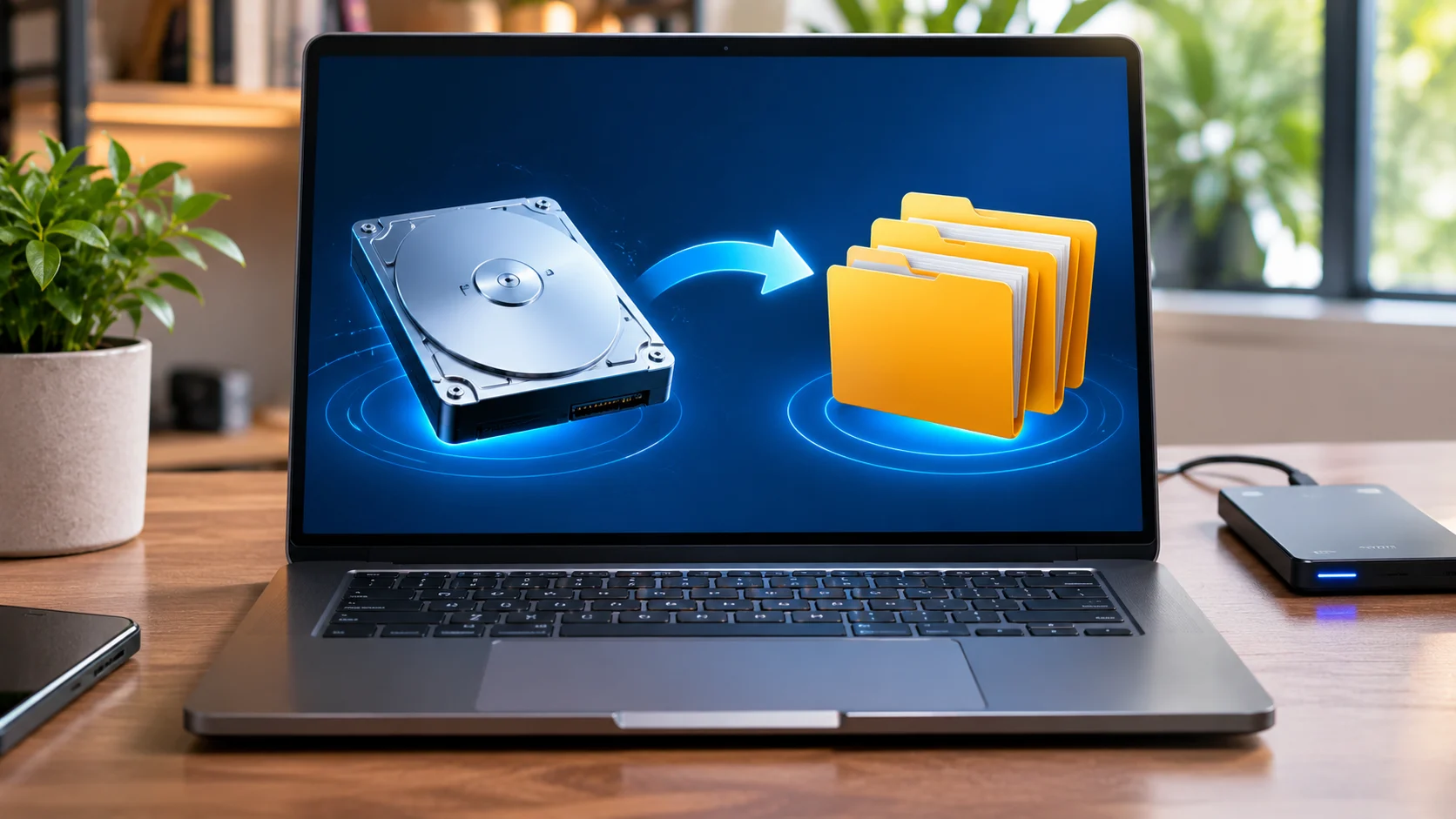
Understanding digital storage units is important when buying a hard drive, choosing a cloud storage plan, or checking available space on a computer. Terms such as terabytes (TB) and gigabytes (GB) appear frequently in technology specifications. However, converting between these units can be confusing because different measurement systems are used. Knowing the correct conversion helps you understand storage capacity more accurately.
1 TB equals 1,000 GB in the standard decimal measurement system. However, binary storage measurements use different units: 1 tebibyte (TiB) equals 1,024 gibibytes (GiB). These systems are sometimes confused because older software used decimal unit labels for binary values. This guide explains the correct 1 TB to GB conversion, calculation methods, storage examples, and why devices sometimes display less capacity than advertised.
How Many GB Are in 1 TB?
In the standard decimal system, 1 terabyte (TB) equals exactly 1,000 gigabytes (GB). This conversion follows the International System of Units, which uses powers of 1,000 for prefixes such as kilo, mega, giga, and tera. Storage manufacturers commonly follow this system when describing capacity. Therefore, a 1 TB hard drive contains one trillion bytes.
Confusion often occurs because some computer systems use binary calculations when reporting storage. In binary measurement, 1 tebibyte equals 1,024 gibibytes. These are different units from terabytes and gigabytes, even though older computer terminology sometimes treats them interchangeably. Understanding the distinction helps explain why multiple conversion answers appear online.
For everyday storage product comparisons, using 1 TB = 1,000 GB is correct. If you are working with binary memory measurements, the appropriate conversion is 1 TiB = 1,024 GiB. The distinction becomes important when calculating available disk space or interpreting operating system information. Using the correct units prevents misunderstandings about actual capacity.
What Is a Terabyte (TB)?
A terabyte is a digital information unit used to describe large amounts of data. Its abbreviation is TB, and one terabyte contains exactly one trillion bytes in decimal measurement. Terabytes are commonly used for hard drives, solid-state drives, external storage devices, and cloud storage plans. They provide a convenient way to describe capacities that would otherwise require very large numbers.
For example, a computer may include a 1 TB internal SSD for storing applications, photographs, videos, and documents. External drives may offer capacities of several terabytes for backups and media collections. Cloud storage providers also advertise plans using terabytes. These examples demonstrate how the unit appears in everyday technology.
The actual amount of information that fits into one terabyte depends on file sizes and storage requirements. High-resolution videos usually occupy more space than ordinary text documents. Operating systems and installed applications also consume capacity. A 1 TB device therefore does not guarantee that every user can store the same number of files.
What Is a Gigabyte (GB)?
A gigabyte is another unit used to measure digital information and storage capacity. Its abbreviation is GB, and one gigabyte contains exactly one billion bytes. Gigabytes are smaller than terabytes and are commonly used for individual files, software installations, and device storage. Many smartphones and tablets advertise their capacity in gigabytes.
For example, a smartphone may offer 128 GB or 256 GB of built-in storage. Computer applications can also require several gigabytes of space, depending on their complexity. Photographs, videos, and downloaded files gradually consume this capacity. Understanding gigabytes helps users estimate how much information their devices can hold.
Gigabytes are also used when discussing mobile data allowances and internet usage. However, transferring one gigabyte of data is different from having one gigabyte of permanent storage. Both involve measuring information, but they describe different activities. Recognizing this distinction helps avoid confusion when comparing internet plans and storage devices.
How to Convert 1 TB to GB
Converting terabytes into gigabytes is straightforward when using the decimal system. Since one terabyte contains 1,000 gigabytes, multiply the number of terabytes by 1,000. This formula applies to standard TB and GB measurements. It is commonly used for advertised storage capacities and product specifications.
Formula:
GB = TB × 1,000
Example:
1 TB × 1,000 = 1,000 GB
The same formula works for other terabyte values. For example, 2 TB equals 2,000 GB, while 5 TB equals 5,000 GB. There is no need for complicated calculations when working with decimal storage units. Simply multiply the terabyte value by 1,000 to obtain the equivalent number of gigabytes.
Before calculating, check whether the original measurement uses decimal or binary units. If the value is expressed in tebibytes, the conversion to gibibytes requires multiplication by 1,024 instead. Mixing these systems can produce incorrect comparisons. Always identify the unit symbols before performing a storage conversion.
Why Do Some People Say 1 TB Equals 1,024 GB?
The answer of 1,024 comes from the binary measurement system traditionally used in computing. Computers represent information using binary digits, and many memory calculations involve powers of two. The number 1,024 equals two raised to the tenth power. Historically, this influenced how some software described storage capacity.
Older computing terminology sometimes used gigabyte and terabyte labels for quantities that were actually gibibytes and tebibytes. This created confusion because decimal prefixes already had established meanings. To clarify the distinction, binary prefixes such as kibi, mebi, gibi, and tebi were introduced. These prefixes identify units based on powers of 1,024.
Under modern unit definitions, 1 TB equals 1,000 GB, not 1,024 GB. Meanwhile, 1 TiB equals 1,024 GiB. Although informal sources may still use older terminology, separating the two systems provides greater accuracy. This distinction is particularly useful for technical documentation, storage calculations, and software development.
Decimal vs Binary Storage Measurements
Digital storage can be described using decimal and binary measurement systems. The decimal system uses powers of 1,000 and includes kilobytes, megabytes, gigabytes, and terabytes. The binary system uses powers of 1,024 and includes kibibytes, mebibytes, gibibytes, and tebibytes. Both systems describe information quantities but use different numerical relationships.
| Decimal unit | Number of bytes | Binary unit | Number of bytes |
|---|---|---|---|
| 1 KB | 1,000 | 1 KiB | 1,024 |
| 1 MB | 1,000,000 | 1 MiB | 1,048,576 |
| 1 GB | 1,000,000,000 | 1 GiB | 1,073,741,824 |
| 1 TB | 1,000,000,000,000 | 1 TiB | 1,099,511,627,776 |
These differences become more noticeable as storage capacities increase. One decimal terabyte contains fewer bytes than one binary tebibyte. Therefore, the numerical value displayed for a drive can change depending on the measurement system. The underlying storage capacity does not change simply because different units are used.
Storage manufacturers generally advertise drive capacity using decimal units. Operating systems may display information using binary units, sometimes with different labeling conventions. This can make a new drive appear smaller than its advertised capacity. Understanding decimal and binary measurements explains much of this apparent difference.
Why Does a 1 TB Hard Drive Show About 931 GB?
A 1 TB hard drive contains one trillion bytes according to the manufacturer’s decimal capacity measurement. However, some operating systems calculate storage using binary units. When one trillion bytes is divided by 1,073,741,824 bytes per gibibyte, the result is approximately 931.32 GiB. This explains why a drive may display a number close to 931.
Some versions of Windows traditionally label this binary-based capacity as GB, even though GiB is the technically precise unit. Other systems may use decimal calculations and show figures closer to 1,000 GB. Neither display necessarily indicates that the manufacturer supplied less storage. The difference is largely caused by unit conventions.
Formatting and file system structures may also consume a small amount of usable space. Operating system installations, recovery partitions, and reserved storage can reduce available capacity further. Therefore, a newly installed drive may show less free space than its total capacity. Checking both the measurement system and disk partitions provides a clearer explanation.
TB to GB Conversion Table
A conversion table makes comparing different storage capacities easier. Standard decimal conversions multiply the number of terabytes by 1,000. These values apply to commonly advertised storage products, including SSDs, external hard drives, and cloud storage plans. The following table shows several frequently used capacities.
| Terabytes (TB) | Gigabytes (GB) |
|---|---|
| 0.25 TB | 250 GB |
| 0.5 TB | 500 GB |
| 1 TB | 1,000 GB |
| 1.5 TB | 1,500 GB |
| 2 TB | 2,000 GB |
| 3 TB | 3,000 GB |
| 4 TB | 4,000 GB |
| 5 TB | 5,000 GB |
| 8 TB | 8,000 GB |
| 10 TB | 10,000 GB |
| 20 TB | 20,000 GB |
These conversions are useful when comparing products advertised with different storage units. For example, a 2 TB external drive has twice the decimal capacity of a 1 TB drive. A 500 GB device provides half a terabyte. However, advertised capacity and available usable space may differ after formatting and software installation.
The table should not be used directly for converting tebibytes into gibibytes. Binary calculations require a different multiplier. For example, 2 TiB equals 2,048 GiB rather than 2,000 GiB. Identifying the correct system ensures that calculations remain accurate.
How Much Data Can 1 TB Store?
One terabyte can hold a large collection of digital files, but the exact number depends on their sizes. Text documents generally require relatively little storage, while high-resolution photographs and videos need considerably more. Compression formats also influence capacity requirements. Therefore, any estimate of how many files fit into 1 TB is approximate.
For example, if an individual photograph occupies 5 MB, one terabyte could theoretically hold around 200,000 photographs using decimal calculations. If a video file requires 5 GB, the same capacity could hold approximately 200 such files. These examples assume the entire storage capacity is available. Actual usable space may be lower.
Modern video games, editing projects, and professional media collections can consume storage quickly. Some applications require tens or even hundreds of gigabytes when installed with additional content. Backups may also need more space as files change over time. Reviewing typical file sizes helps determine whether 1 TB is suitable for your needs.
Is 1 TB Enough for a Laptop or Computer?
One terabyte is a substantial amount of storage for many everyday computer users. It can accommodate operating system files, office applications, documents, photographs, and numerous personal files. However, actual requirements depend on how the computer is used. A person working mainly with documents may need less space than someone editing large videos.
Gaming computers often require additional storage because modern games can occupy considerable space. Creative professionals may also store large project files, raw photographs, and high-resolution video recordings. These activities can fill a 1 TB drive more quickly. External storage or cloud backup services may become useful as collections grow.
When choosing computer storage, consider both present and future needs. Check how much capacity your existing device uses and whether your file collection is expanding. Maintaining some free space can also support everyday system operation. Buying suitable capacity is generally more practical than relying on the largest number available.
1 TB SSD vs 1 TB HDD: Is Capacity Different?
A 1 TB solid-state drive and a 1 TB hard disk drive have the same advertised decimal storage capacity. Both contain one trillion bytes of manufacturer-rated space. The main difference involves how the devices store and access information. Capacity alone does not describe their speed, physical design, or reliability characteristics.
SSDs use flash memory rather than spinning magnetic disks. They generally provide faster access to files and applications, making them popular for operating systems and everyday computing. HDDs use mechanical components and often provide lower costs per terabyte at larger capacities. Each technology has practical advantages depending on the application.
The amount of free space available after formatting can vary with partitioning and file system choices. Performance may also depend on interface speed, device design, and workload. A 1 TB label does not guarantee identical behavior across products. Comparing speed, durability, warranty, and price helps identify the most suitable storage device.
1 TB Storage for Smartphones and Tablets
Some smartphones and tablets offer storage capacities approaching or reaching one terabyte. This amount can be useful for people who keep large photo libraries, offline videos, applications, and other files on their devices. However, many users need considerably less storage. The appropriate capacity depends on individual habits.
High-resolution photography and video recording can consume space quickly. Downloaded movies, games, and editing applications may also require substantial capacity. Devices with limited expansion options deserve particular attention because storage may not be upgradeable later. Reviewing current storage use can help avoid purchasing unnecessary capacity.
Cloud storage and external transfer options may reduce the need to keep every file on a mobile device. However, cloud services often depend on internet access and may involve subscription fees. Local storage remains useful for offline access. Choosing between these options depends on convenience, connectivity, privacy preferences, and budget.
How 1 TB Cloud Storage Works
Cloud storage services allow users to save files on remote infrastructure rather than relying entirely on local devices. A 1 TB cloud storage plan generally refers to one trillion bytes of allocated storage under the provider’s stated measurement system. However, service terms and included features vary. Users should review the provider’s specific capacity definitions.
Cloud storage can be useful for synchronizing documents, sharing files, and creating additional copies of important information. However, synchronization is not always equivalent to a complete independent backup. Deleted or corrupted files may be synchronized across connected devices. Dedicated backup features and version history can provide additional protection.
When comparing cloud storage plans, consider pricing, privacy, security, and file access requirements. Some services restrict certain file sizes or apply additional usage conditions. Internet speed can also affect upload and download times. The best plan depends on more than the advertised terabyte allowance.
1 TB to GB for Gaming and Large Files
Gaming is a practical example of why understanding storage conversions matters. Games can require substantial disk space because of detailed graphics, audio, and downloadable content. A 1 TB drive offers 1,000 GB of advertised capacity, but not all of that space will be available for installations. System files and updates also require storage.
If an installed game occupies 100 GB, ten such installations would theoretically fill one decimal terabyte. In practice, operating system requirements and other files reduce the available capacity. Game sizes can also change through updates and additional content. Therefore, simple calculations should be treated as planning estimates.
Large creative files create similar challenges. Video editing projects, photo libraries, and 3D design files can grow rapidly. Understanding file sizes helps users decide when to add storage or remove unnecessary copies. It also supports more accurate planning for external backups and project archives.
Common Mistakes When Converting TB to GB
One common mistake is assuming that terabytes and tebibytes mean the same thing. Although the terms sound similar, they follow different measurement systems. A terabyte contains one trillion bytes, while a tebibyte contains 1,099,511,627,776 bytes. Confusing these units can produce inaccurate storage calculations.
Another mistake is treating a device’s displayed free space as its complete physical capacity. Operating systems, partitions, and file systems can reserve storage for necessary functions. A drive’s available capacity may therefore be lower than its advertised size. Understanding these differences helps avoid unnecessary concerns about missing space.
Some users also confuse storage capacity with internet speed or data transfer rate. Gigabytes measure quantities of information, while gigabits per second describe a data rate. The abbreviations GB and Gb refer to different units. Paying attention to capitalization and context prevents mistakes when comparing technical specifications.
How to Convert GB Back to TB
Converting gigabytes into terabytes uses the reverse of the standard decimal conversion. Instead of multiplying by 1,000, divide the number of gigabytes by 1,000. This method is useful when comparing storage products advertised using different units. It also simplifies calculations involving large file collections.
Formula:
TB = GB ÷ 1,000
Examples:
500 GB ÷ 1,000 = 0.5 TB
2,500 GB ÷ 1,000 = 2.5 TB
If a storage collection occupies 3,000 GB, it contains 3 TB of decimal information. However, the physical storage device may need additional space for formatting and future files. The calculation should therefore be used as a capacity comparison rather than a guarantee of available space. For binary measurements, divide GiB by 1,024 to calculate TiB.
Why Understanding TB and GB Conversions Matters
Understanding storage conversions helps consumers compare hard drives, smartphones, and cloud storage plans. Different manufacturers and service providers may describe capacities using different units. Knowing that 1 TB equals 1,000 GB allows straightforward comparisons. It also reduces confusion when reviewing product advertisements.
Businesses and technology professionals use these conversions for storage planning and data management. Backup systems, media libraries, and server infrastructure may require capacities measured in multiple terabytes. Accurate calculations help estimate equipment requirements and available resources. However, practical storage planning should also consider redundancy, growth, and system overhead.
Learning the difference between decimal and binary units also improves digital literacy. It explains why operating systems sometimes display unexpected capacity values. The same knowledge applies to smaller units such as megabytes and kilobytes. Understanding these basic relationships makes everyday technology decisions easier and more informed.
Conclusion
The correct standard conversion from 1 TB to GB is simple: 1 terabyte equals exactly 1,000 gigabytes. This relationship follows decimal measurement and is commonly used for storage product capacities. Binary measurements use different units, with 1 tebibyte equaling 1,024 gibibytes. Recognizing these differences helps prevent calculation errors.
Storage devices may display lower numerical capacities because some operating systems use binary calculations or reserve space for formatting and system functions. A 1 TB drive can therefore appear as approximately 931 GiB without having less physical capacity than advertised. Understanding the measurement system makes these displays easier to interpret. It also supports more accurate comparisons between storage products.
Whether you are buying an SSD, choosing smartphone storage, or comparing cloud plans, understanding TB and GB conversions is useful. Multiply terabytes by 1,000 to calculate gigabytes and divide gigabytes by 1,000 for the reverse conversion. Always check whether a specification uses decimal or binary units. These simple principles make digital storage measurements much easier to understand.
Frequently Asked Questions (FAQs)
Is 1 TB Equal to 1,000 GB or 1,024 GB?
1 TB equals exactly 1,000 GB in decimal measurement. The number 1,024 applies to binary units, where 1 tebibyte (TiB) equals 1,024 gibibytes (GiB).
Why Does My 1 TB Hard Drive Show Only 931 GB?
Some operating systems display binary-based storage values using GB labels. One decimal terabyte equals approximately 931.32 GiB. Formatting, partitions, and system files may further reduce the available space.
How Many GB Are in 2 TB?
Two terabytes equal 2,000 gigabytes using the standard decimal conversion. Simply multiply the terabyte value by 1,000 to calculate the equivalent number of gigabytes.
Is 1 TB Enough for Gaming?
One terabyte can store several modern games, but the exact number depends on installation sizes, updates, and other files. Gaming libraries with many large titles may require additional storage.
What Is the Difference Between TB and GB?
Both terabytes and gigabytes measure digital information. A terabyte is a larger unit containing 1,000 gigabytes in the decimal system, making it useful for describing high-capacity storage devices.